Features
A way in that does not lose mail
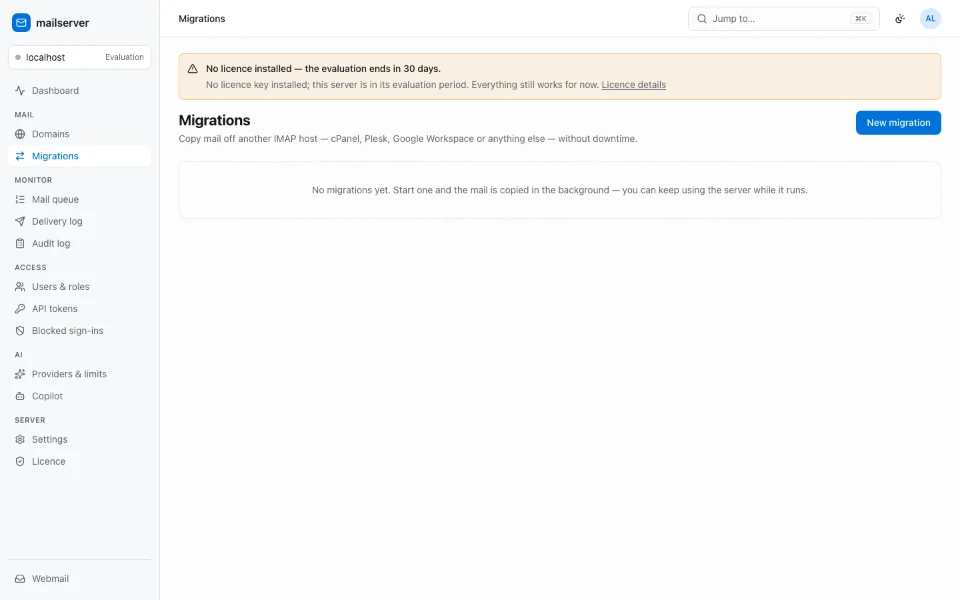
A migration that copies once and hopes is not a migration. This one syncs the delta after the MX change, resumes when it is interrupted, and never writes to the source.
Where from
cPanel and WHM, Plesk, Google Workspace, Microsoft 365, or any IMAP server. Each connector reads what the source’s API can tell it — mailboxes and, where it exposes them, aliases, forwarders, autoresponders and filters — then mail, folders and flags come across over IMAP. What it could not see is reported as a warning rather than as an empty list.
- cPanel / WHM
- Plesk
- Google Workspace
- Microsoft 365
- Generic IMAP
How it runs
A full copy, then a delta sync — because the final delta runs after you switch the MX record, which is the mail that would otherwise be lost. Transfers resume where they stopped, and source credentials are sealed at rest and wiped when the migration ends rather than when a sync finishes.
- Delta sync after cutover
- Resumable transfers
- Credentials sealed at rest and wiped at the end
Nothing is written to the source
The connectors hold credentials that could delete mail at the old provider, and deliberately never use a write verb. Each one has a test asserting only reads are sent. That is what makes “a failed migration cannot have damaged your old mail” a property rather than a promise.
More
Where these claims come from
Each line on this page is backed by a document in the product’s own repository. They are private, so the paths are given rather than linked; ask us if you want to see one.
- mailserver · docs/feature-docs/migration.md
- mailserver · docs/feature-docs/migration-cpanel.md
- mailserver · docs/feature-docs/migration-plesk.md
- mailserver · docs/feature-docs/migration-google-workspace.md
- mailserver · docs/feature-docs/migration-microsoft-365.md
- mailserver · docs/adrs/0018-migration-credentials-and-resumability.md